Tracking Limits in Codex and Claude Code
Still tweaking coding agents to fit my workflow. Last time it was about the work process, now a small thing — tracking limits via statusline.
I use two coding agents: Codex and Claude Code. Both work fine for me, and I switch between them freely — sometimes because one runs out of limits, sometimes just because I keep different tasks in different clients. Claude Code became my main one — that's where skills, MCP and all the other tooling showed up first. Over time a lot of settings piled up there, and I haven't moved most of them to Codex. I haven't figured out a good way to sync that either. If you've solved this kind of sync between Claude Code and Codex, drop a link in the comments.
When limits were introduced a month or so ago, constantly checking them with /status got annoying fast. Same with context — to see how much is left before autocompact you have to run /context separately. Not hard on its own, but doing it all the time gets old. I also wanted to see when limits or context were getting close so I could save things manually. After autocompact the model often gets dumb and forgets important things. So I went looking for a way to track this and found that both clients have a statusline. By default it's pretty minimal in both — mostly just shows the current model.
Codex has a decent setup for this. Just run /statusline and pick what to show in the interactive UI. Settings get saved to ~/.codex/config.toml.
I ended up with this format:
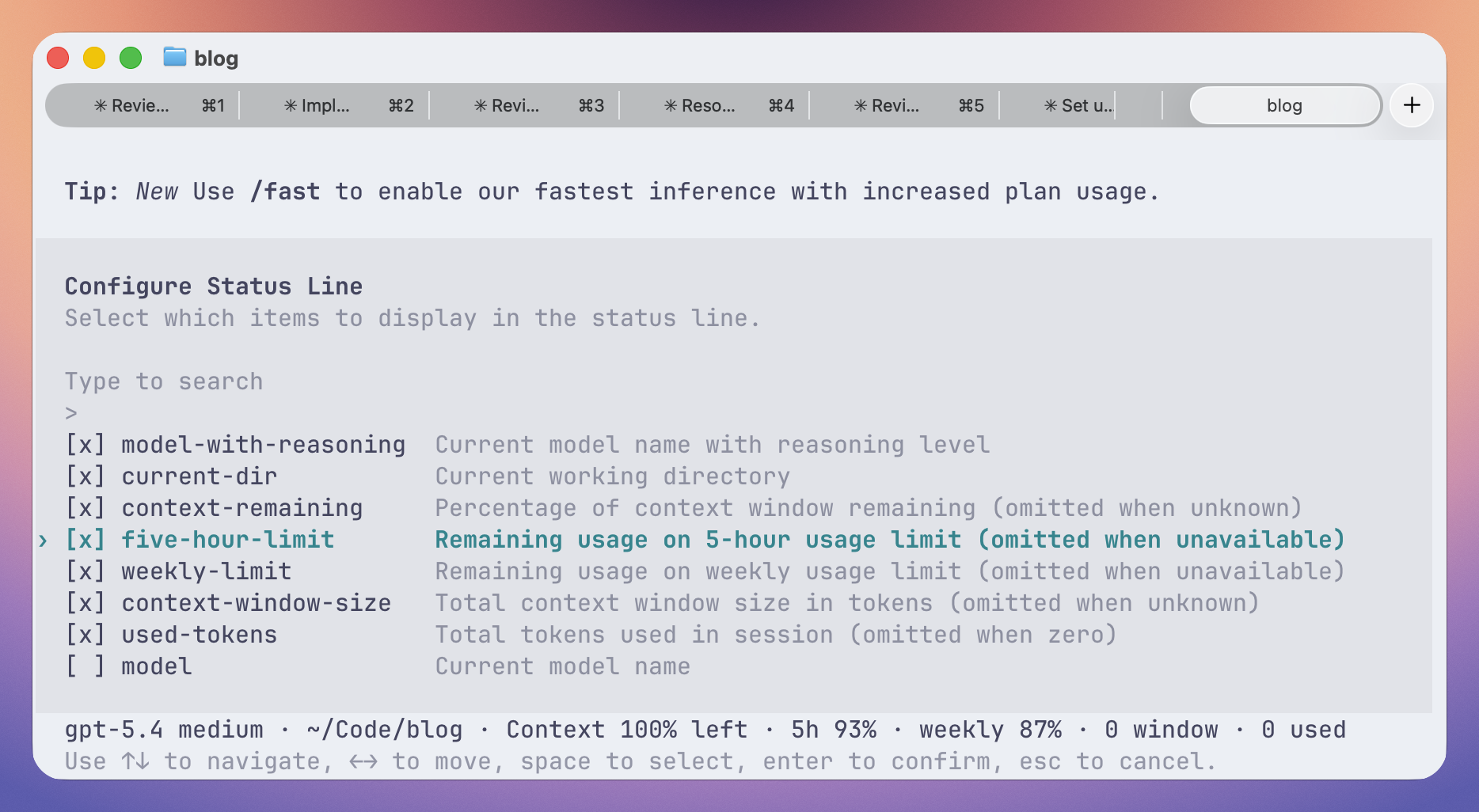
gpt-5.4 medium · ~/Code/blog · Context 73% left · 5h 93% · weekly 92% · 258K window · 1.2M usedCodex doesn't let you write a fully custom format string. You can only choose from a set of built-in blocks and set their order.
In the config it looks like this:
[tui]
status_line = ["model-with-reasoning", "current-dir", "context-remaining", "five-hour-limit", "weekly-limit", "context-window-size", "used-tokens"]
theme = "catppuccin-macchiato"
You can either click through the UI or just edit the file directly.
Claude Code also has /statusline. But instead of an interactive menu with blocks like Codex, they went the agent way: it tries to read your bash / zsh / fish configs and generate a statusline from them.
I didn't give it access to my files — I don't want my configs going to Anthropic. And I'm not sure why they'd need them anyway, GitHub is full of dotfiles repos.
In ~/.claude/settings.json you can point it to a command that runs on every statusline update. Like this:
{
  // ...
  "statusLine": {
    "type": "command",
    "command": "~/.claude/statusline.sh",
    "padding": 0,
  },
}
command is just a script that Claude Code runs on each update. There are quite a few implementations on GitHub. Like these: sirmalloc/ccstatusline, Owloops/claude-powerline, Haleclipse/CCometixLine, hagan/claudia-statusline, felipeelias/claude-statusline. I call them crazy because in a world where npm packages break every other week, installing extra software via npm for something this simple seems like a bad idea.
Still, the idea is worth taking. The command gets called on each update, receives JSON on stdin, and you can parse and format it however you want. Docs for available fields: Claude Code statusline docs
The statusline gets roughly this data:
{
  // shortened example; see docs for the full schema
  "session_id": "<session-id>",
  "transcript_path": "/Users/<user>/.claude/projects/<project>/<session-id>.jsonl",
  "cwd": "/Users/user/Code/blog",
  "session_name": "<session-name>",
  "model": { "id": "claude-sonnet-4-6", "display_name": "Sonnet 4.6" },
  "workspace": { "current_dir": "/Users/user/Code/blog" },
  "version": "2.1.126",
  "output_style": { "name": "default" },
  "context_window": {
    "total_input_tokens": 433,
    "total_output_tokens": 492,
    "context_window_size": 200000,
    "current_usage": {
      "input_tokens": 1,
      "output_tokens": 92,
      "cache_creation_input_tokens": 299,
      "cache_read_input_tokens": 14201,
    },
    "used_percentage": 7,
    "remaining_percentage": 93,
  },
  "exceeds_200k_tokens": false,
  "fast_mode": false,
  "effort": { "level": "high" },
  "thinking": { "enabled": true },
  "rate_limits": {
    "five_hour": { "used_percentage": 62, "resets_at": 1779296400 },
    "seven_day": { "used_percentage": 22, "resets_at": 1779750000 },
  },
}
I use starship.rs for terminal customization. They even have Claude Code integration: Statusline for Claude Code. But there are no blocks for hourly limits — after Claude added them, starship never caught up. There's already an issue on GitHub: starship/starship#7441. From what I can tell, the author has gone quiet, and the project has been mostly dead for months.
So I just asked Claude to write a bash script that outputs the same format as in Codex. Got something like this:
#!/usr/bin/env bash
set -euo pipefail

input="$(cat)"
get() { jq -r "$1" <<<"$input"; }

fmt_tokens() {
  awk -v n="$1" 'BEGIN {
    if      (n >= 1000000) printf "%.1fM", n / 1000000
    else if (n >= 1000)    printf "%.0fK", n / 1000
    else                   printf "%d",    n
  }'
}

model="$(get '.model.display_name')"
dir="$(get '.workspace.current_dir')"
dir="${dir/#"$HOME"/\~}"

context_remaining="$(get '(.context_window.remaining_percentage // 100)')% left"
five_hour="$(get '(100 - .rate_limits.five_hour.used_percentage) | round')%"
weekly="$(get '(100 - .rate_limits.seven_day.used_percentage) | round')%"
window="$(fmt_tokens "$(get '.context_window.context_window_size')")"
used="$(fmt_tokens "$(get '.context_window.context_window_size * .context_window.used_percentage / 100')")"

printf '%s · %s · Context %s · 5h %s · weekly %s · %s window · %s used\n' \
  "$model" "$dir" "$context_remaining" "$five_hour" "$weekly" "$window" "$used"
Both clients end up looking the same:
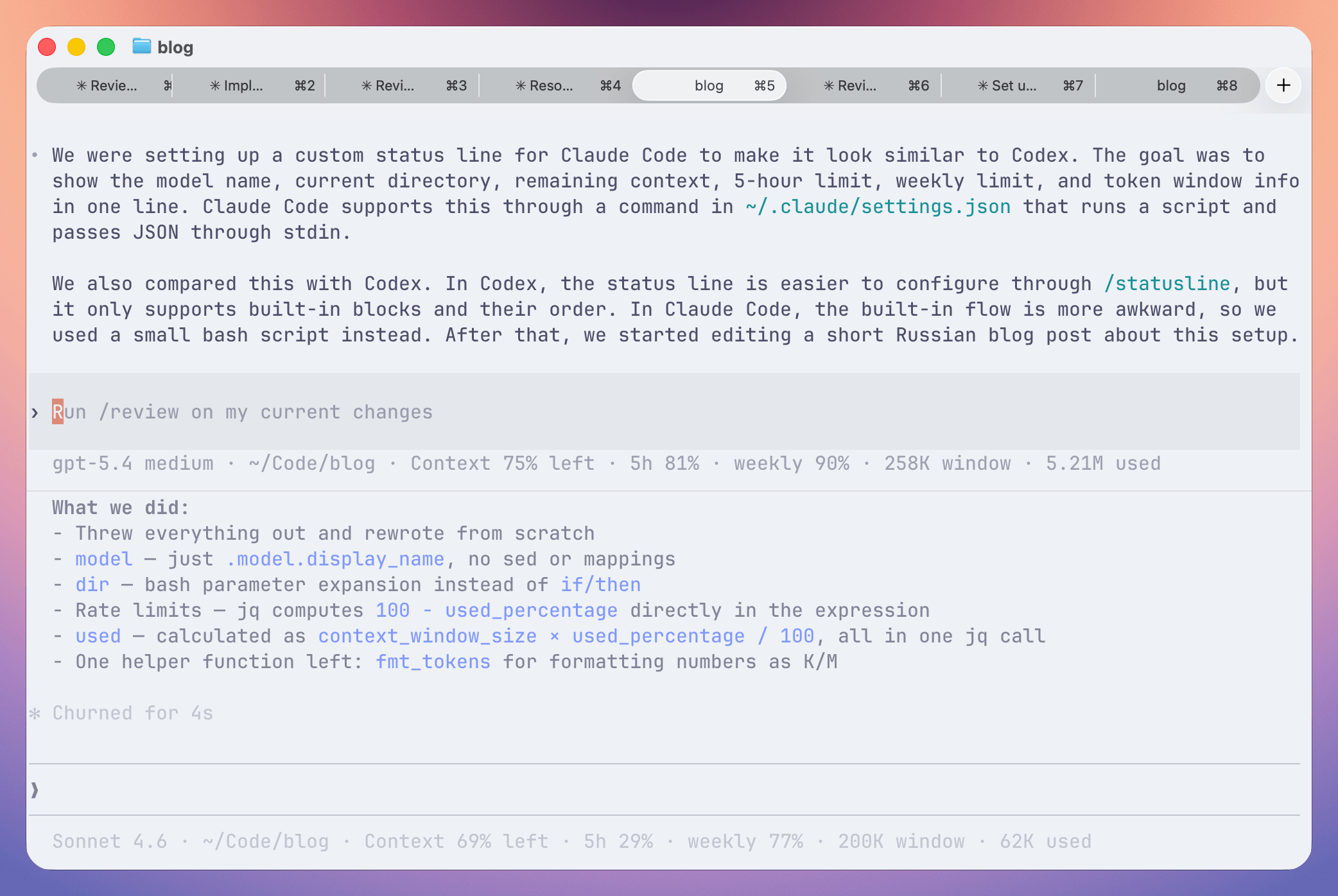
The only issue I noticed in Claude Code is that in new sessions the statusline does not show up immediately when the terminal opens. It appears only after the first interaction with the chat (you can also trigger it manually with Cmd+Shift).
That's it. Setting up the statusline and writing this post took about three hours.